
准备网格、旋转对称信息和模型元数据
本页使用公开上游源码中的准备、训练或评测脚本。请先按安装说明获取该版本,并在上游源码根目录执行本页命令;当前项目中的 examples/inference/ 用于应用推理。
从 CAD 模型到训练数据,先要定好物体的坐标系、尺度和编号。下面用 Bin-Picking 示例物体走一遍。后续脚本共用数据集的 models/ 目录,并以毫米为模型坐标单位。
从 CAD 导出网格
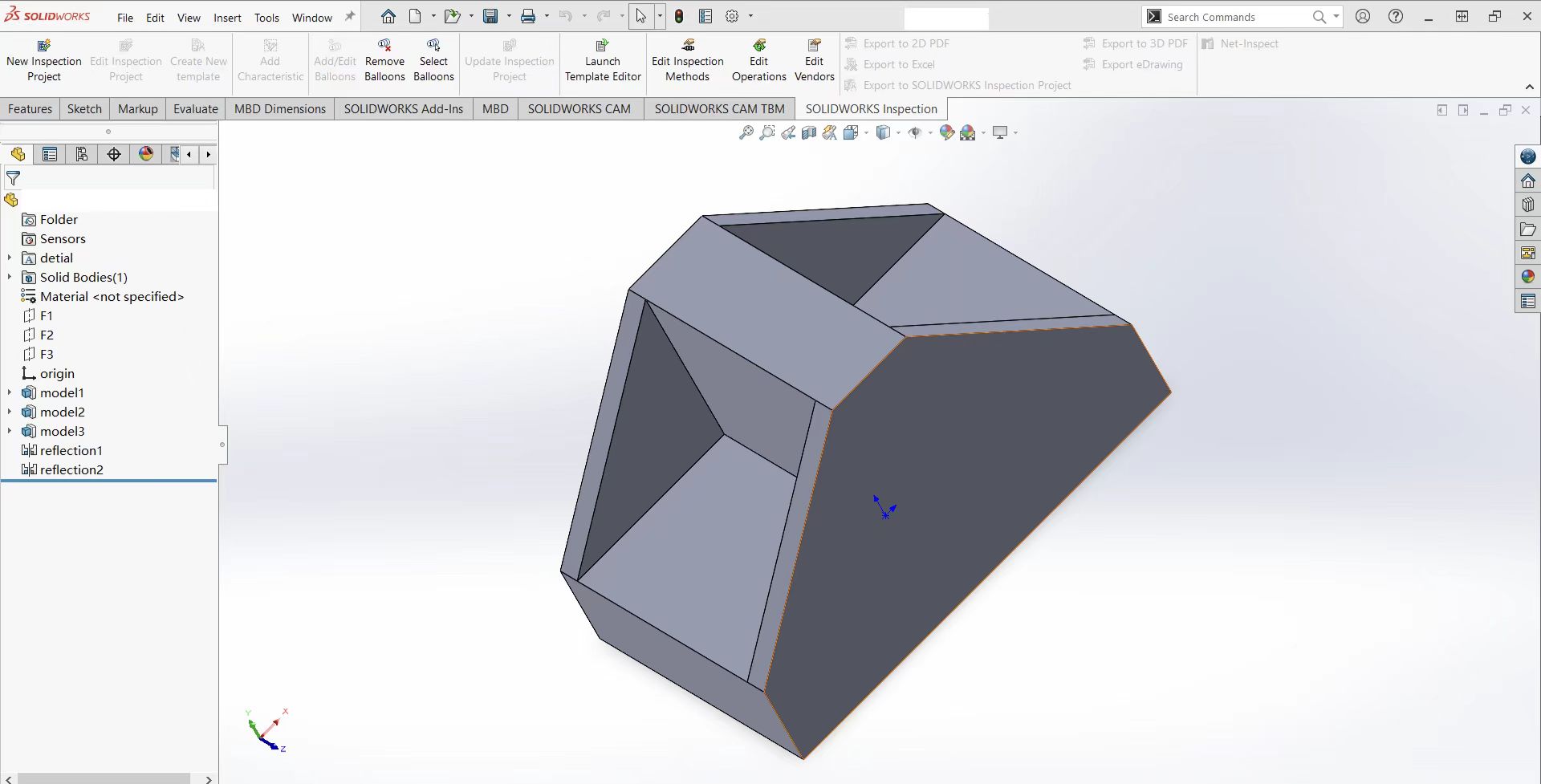
我们在 SolidWorks 中设计了示例零件,并导出为 board.STL。你可以从这个文件开始,也可以使用自己的模型。
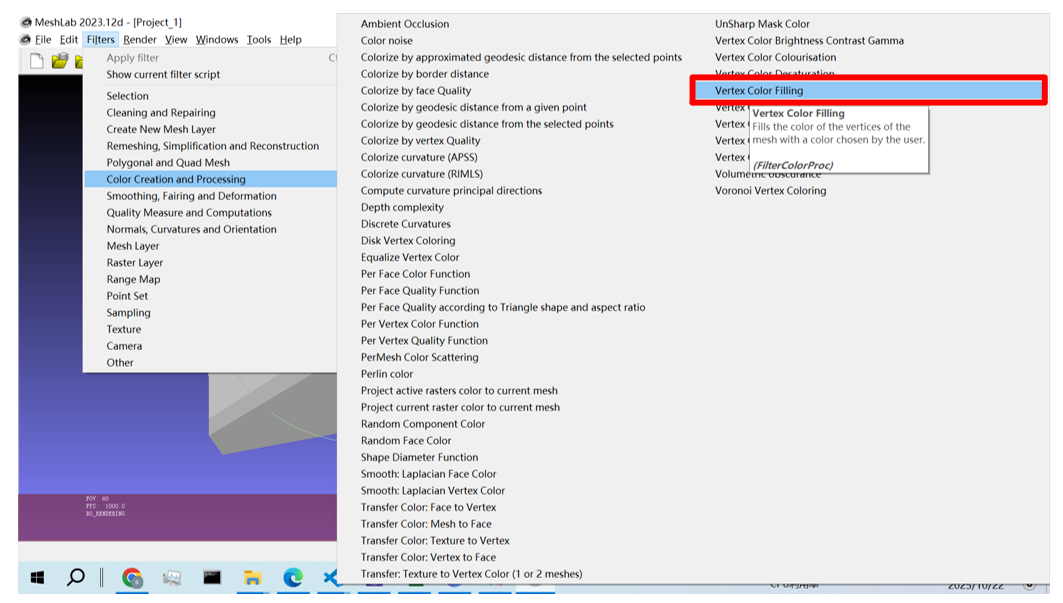
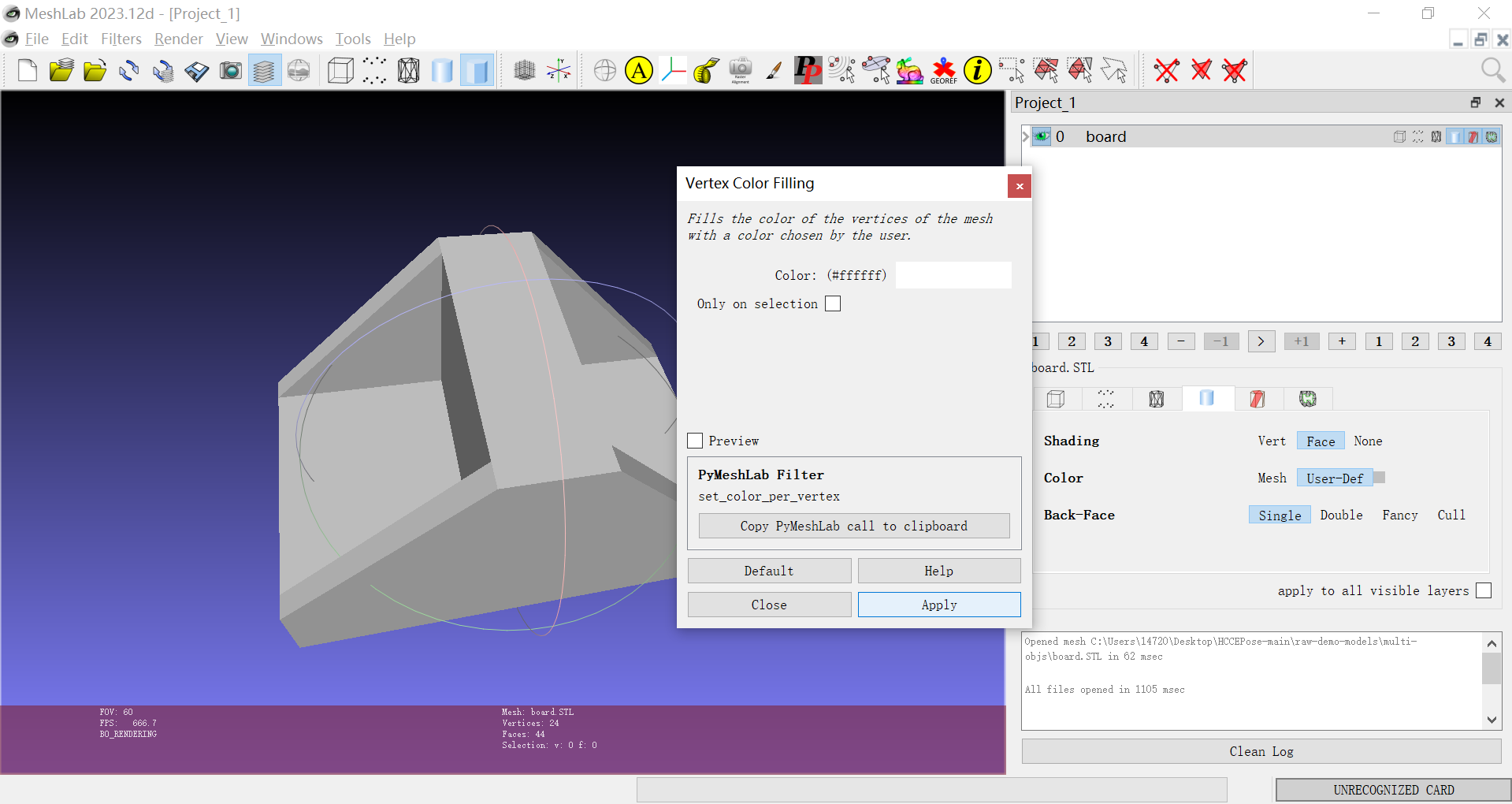
用 MeshLab 打开 STL,在 Vertex Color Filling 中为表面着色。
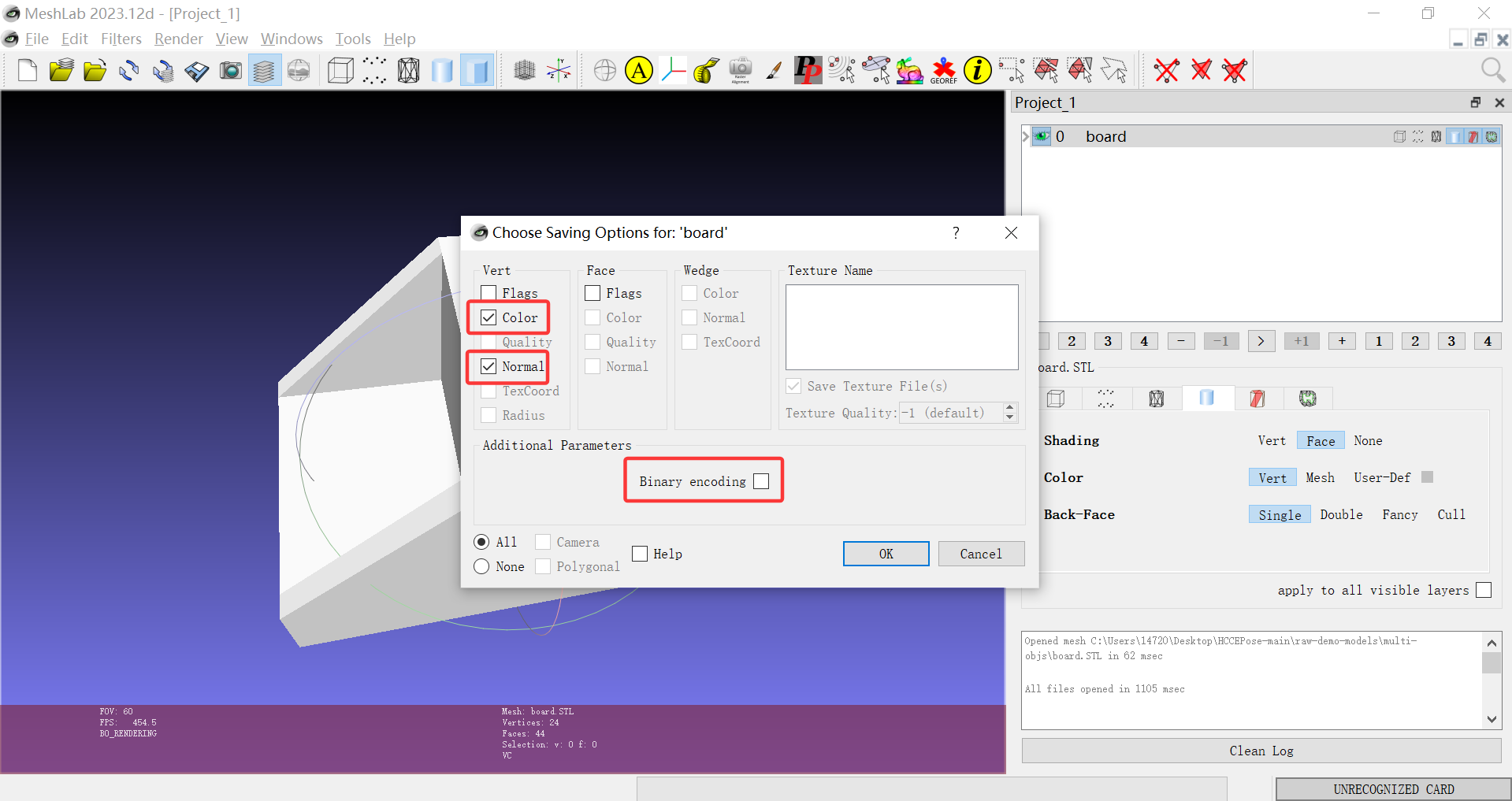
导出为 ASCII PLY,并勾选顶点颜色和法向量。
将模型居中并设置物体 ID
导出网格时,原点可能落在零件中心之外。
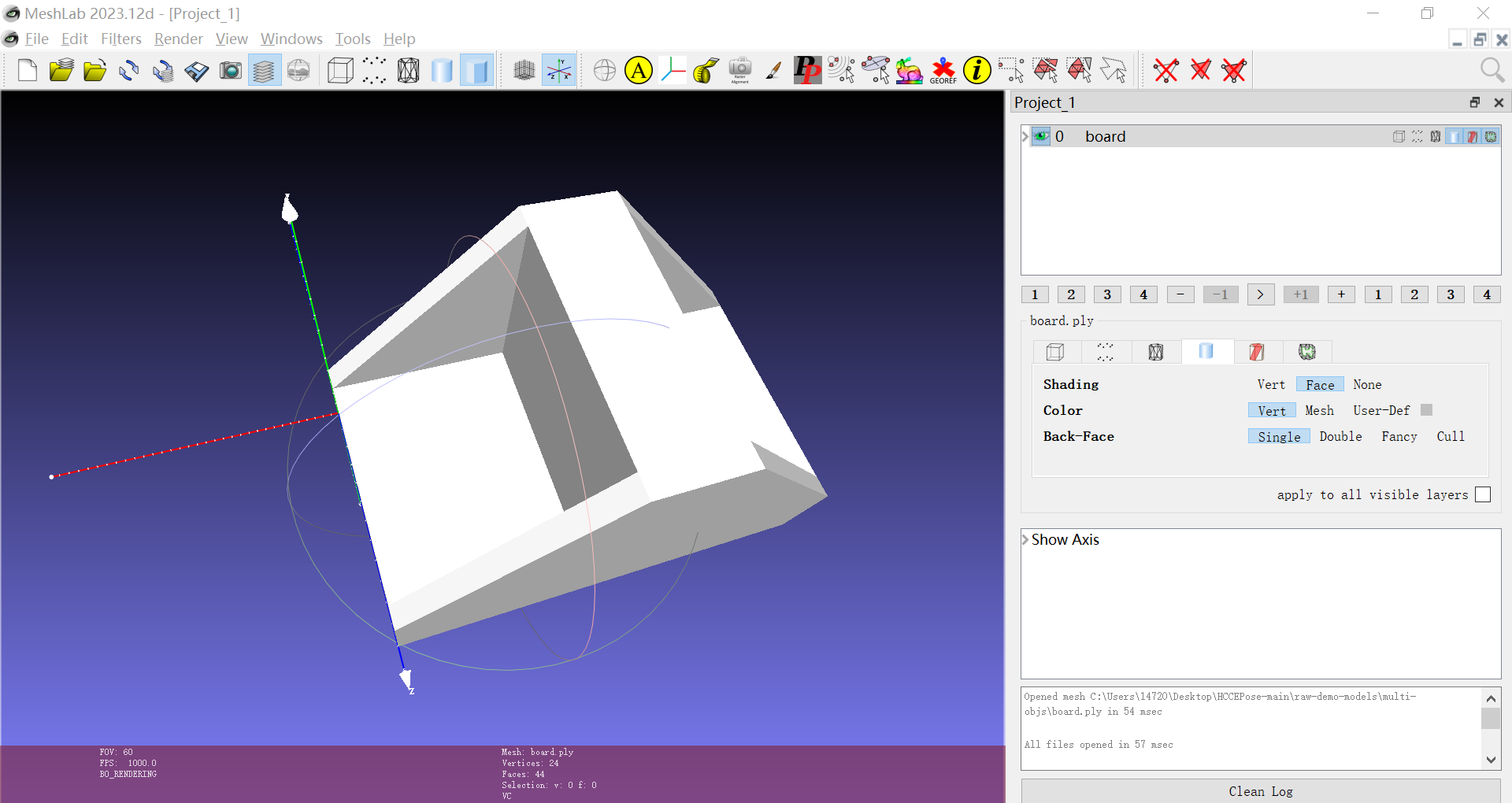
s1_p1_obj_rename_center.py 使用 PyMeshLab。单独安装脚本使用的参考版本:
python -m pip install pymeshlab==2023.12.post1
在脚本中设置 input_ply 和 obj_id,然后从仓库根目录运行。每个物体分配一个唯一的非负整数 ID。脚本把网格包围盒的中心平移到原点,按 BOP 规则命名文件,保存在输入网格旁边。平移会保留原有尺度,因此请先确认顶点坐标以毫米为单位。
| 输入文件 | 物体 ID | 输出文件 |
|---|---|---|
board.ply |
1 |
obj_000001.ply |
board.ply |
2 |
obj_000002.ply |
把处理好的文件放入数据集的 models/ 目录。
数据集名称
|--- models
      |--- obj_000001.ply
      ...
      |--- obj_000015.ply
用 KASAL 标注旋转对称性
圆锥、圆柱和多面体在不同的旋转下可能具有相同的外观。KASAL 提供八类旋转对称,可以用来拟合对称轴并保存 BOP 所需的对称信息。
pip install kasal-6d
将 mesh_path 指向你的数据集,启动图形界面:
from kasal.app.polyscope_app import app
mesh_path = 'demo-bin-picking'
app(mesh_path)
KASAL 会读取该目录下的 PLY 和 OBJ 网格,并跳过已生成的 _sym.ply 可视化文件。
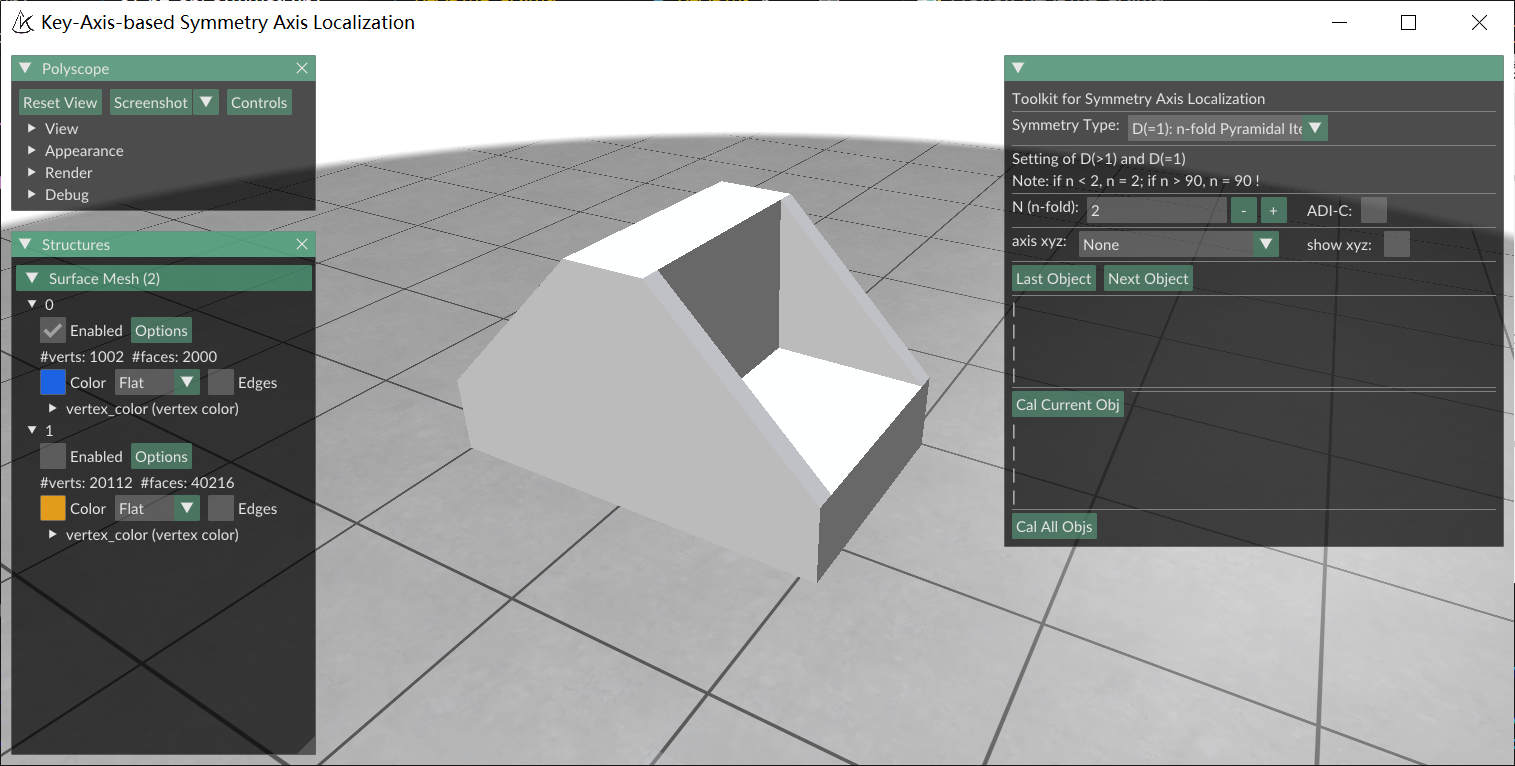
- 在 Symmetry Type 中选择类型。对于 n 阶棱锥或棱柱对称,用 N (n-fold) 设置阶数。
- 对具有纹理旋转对称性的物体,勾选 ADI-C。
- 检查可视化中的对称轴是否与模型吻合。如果偏离,先复核对称类型,必要时用 axis xyz 手动拟合。
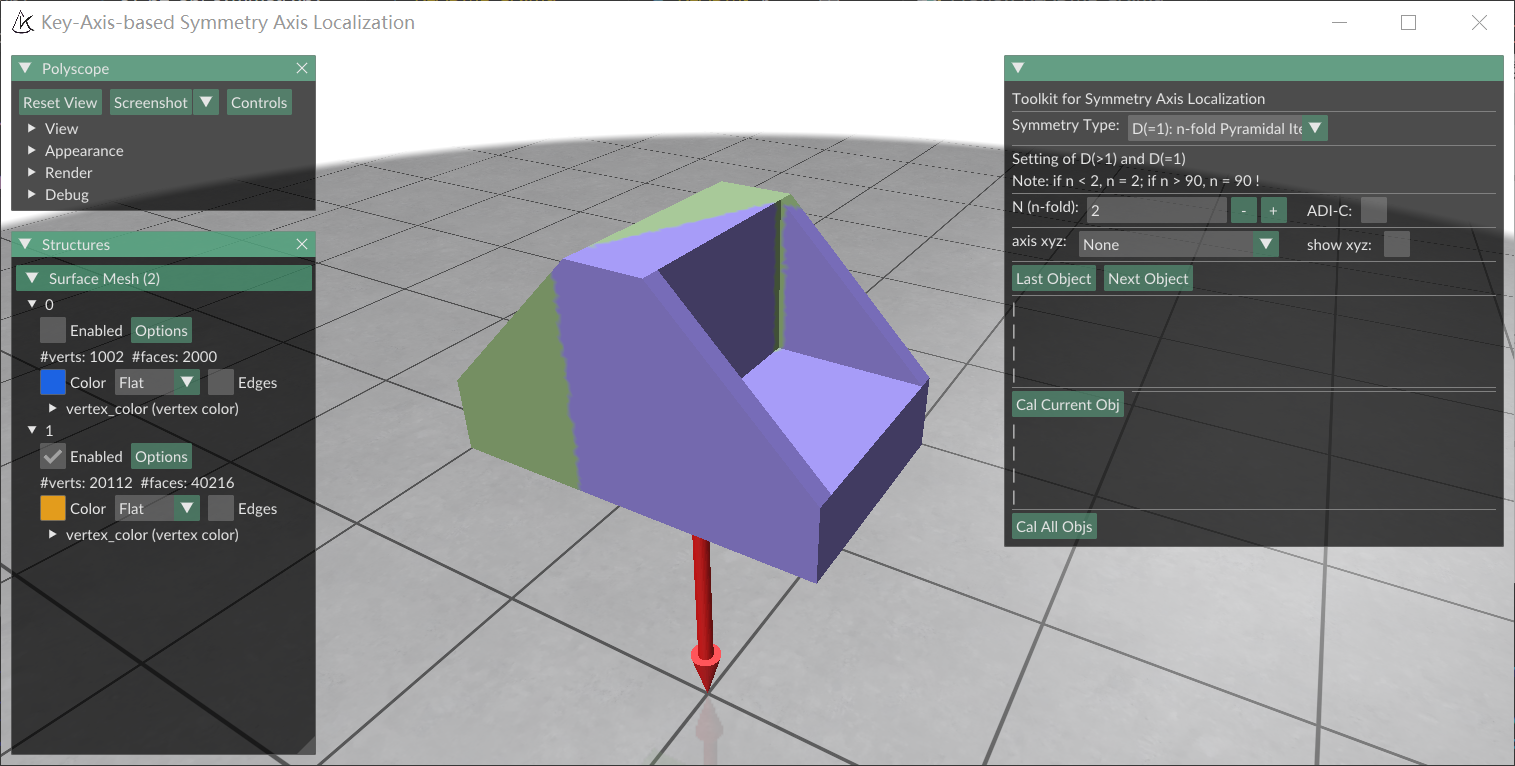
点击 Cal Current Obj 计算当前物体的对称轴。以物体 1 为例,obj_000001_sym_type.json 保存对称信息,obj_000001_sym.ply 用于查看拟合结果。
生成 BOP 模型元数据
将 s1_p3_obj_infos.py 中的 dataset_path 指向数据集并运行。脚本读取 models/ 中的 BOP 网格,计算直径和包围盒,并将可用的旋转对称信息一起写入 models_info.json。后续渲染训练场景和制作标签时,使用这一套模型和元数据。
数据集名称
|--- models
      |--- models_info.json
      |--- obj_000001.ply
      ...
      |--- obj_000015.ply
Prepare meshes, symmetry annotations and model metadata
This page uses preparation, training or evaluation scripts from the public upstream source. Obtain that revision as described in Installation, and run these commands from its root. The current project’s examples/inference/ provides application inference.
Start by choosing a coordinate frame, scale and ID for each object. This example follows the Bin-Picking part from CAD to a training mesh. The rest of the pipeline reads meshes from the dataset’s models/ directory and uses millimeters for model coordinates.
Export a mesh from CAD
We designed the sample part in SolidWorks and exported it as board.STL. You can start with this file or use your own model.
Open the STL in MeshLab and use Vertex Color Filling to color the surface.
Export the mesh as an ASCII PLY with vertex colors and normals.
Center the mesh and assign an object ID
The origin of an exported mesh may lie away from the center of the part.
The centering script, s1_p1_obj_rename_center.py, uses PyMeshLab. Install the reference version separately:
python -m pip install pymeshlab==2023.12.post1
Set input_ply and obj_id in the script, then run it from the repository root. Give each object a unique non-negative integer ID. The script translates the center of the mesh’s bounding box to the origin and saves the renamed BOP file next to the input. Centering preserves scale, so check that the vertex coordinates are already in millimeters.
| Input | Object ID | Output |
|---|---|---|
board.ply |
1 |
obj_000001.ply |
board.ply |
2 |
obj_000002.ply |
Move the prepared meshes to the dataset’s models/ directory.
Dataset_Name
|--- models
      |--- obj_000001.ply
      ...
      |--- obj_000015.ply
Annotate rotational symmetry with KASAL
Cones, cylinders and polyhedra can look identical under different rotations. KASAL supports eight types of rotational symmetry and lets you fit the axes and save the symmetry information needed by BOP.
pip install kasal-6d
Set mesh_path to the dataset directory and open the graphical interface:
from kasal.app.polyscope_app import app
mesh_path = 'demo-bin-picking'
app(mesh_path)
KASAL reads PLY and OBJ meshes under that directory and skips generated _sym.ply visualizations.
- Choose a Symmetry Type. For n-fold pyramidal or prismatic symmetry, set N (n-fold).
- Enable ADI-C for objects with rotational texture symmetry.
- Compare the displayed axes with the mesh. If they do not line up, check the selected symmetry type and use axis xyz to fit the axes manually if needed.
Choose Cal Current Obj to compute the axes. For object 1, obj_000001_sym_type.json stores the symmetry information and obj_000001_sym.ply shows the fitted result.
Generate BOP model metadata
Set dataset_path in s1_p3_obj_infos.py and run the script. It reads the BOP meshes in models/, calculates each object’s diameter and bounding box, and writes these along with any available symmetry information to models_info.json. Use the same meshes and metadata for rendering the training scenes and generating labels.
Dataset_Name
|--- models
      |--- models_info.json
      |--- obj_000001.ply
      ...
      |--- obj_000015.ply